Why Do Order Emails Take So Long to Enter?
Because an order email is rarely an order yet. It says "same as last week, plus six of the blue gloves" or "by Thursday", and someone in inside sales retypes it into the ERP, looks up the item codes and writes back with questions. The typing is the small part. The questions are what hold an order up.
What Did Ingram Micro Report?
On its October 29 third-quarter earnings call, Ingram Micro's management said email-to-order volume through its Xvantage platform increased 33%. Distribution Strategy Group reported it on November 3, 2026, in a roundup of distributors using AI in quoting, purchasing and order processing.
The report adds a fair caveat: the figure measures volume handled through the process, not additional sales generated by AI or labor saved, and Ingram Micro did not isolate its contribution to earnings. Read it as a sign of where the work is moving, not as a promise.
The useful part for a smaller distributor is the shape. The order starts as an email, and the system does the first read.
What Can a Smaller Distributor Run of It?
Four steps, beside the inbox and ERP you already use.
Each order email becomes a record with the sender, the time and the email text. A web form, or a webhook from the tool that receives your email, can create it.
AI lists the lines: item, quantity, unit and requested date, copied as written, with "not stated" where the email is silent. It adds no items, prices or substitutes.
AI lists the questions the rep should ask before entering it: which Thursday, which dock, which gloves.
The rep approves the draft, then enters or confirms it. Nothing is entered on its own.
The rule that makes this safe is in step 2: the AI copies, it never guesses. A wrong code costs more than a question.
What Does This Look Like in Mulstra?
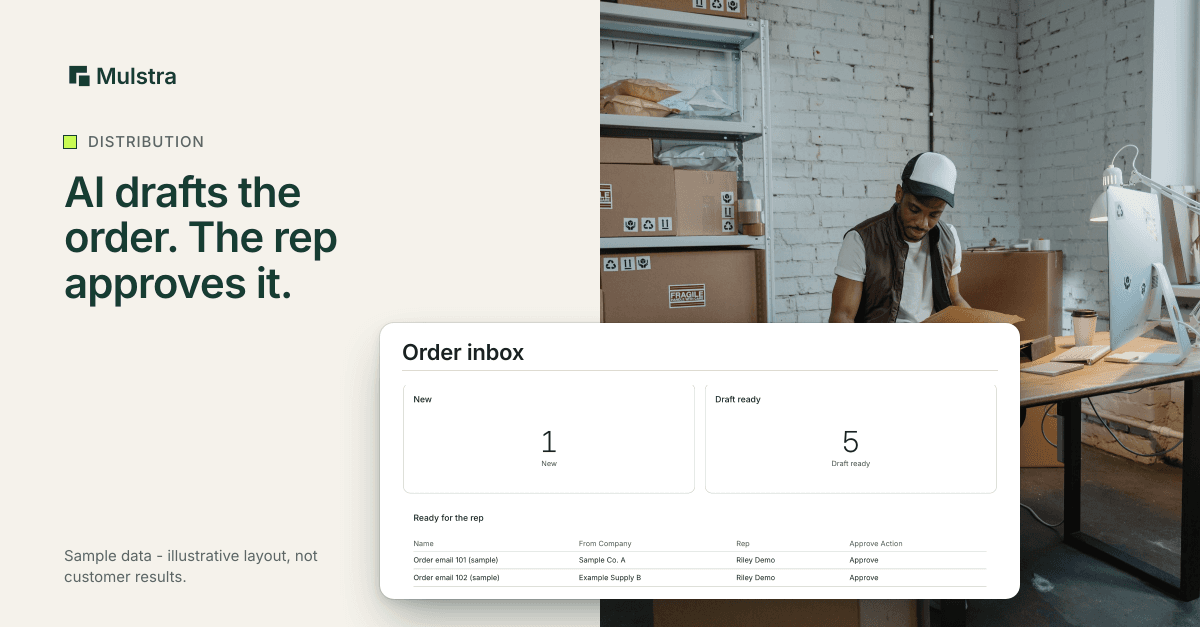
Here is that intake built in Mulstra, with sample data.
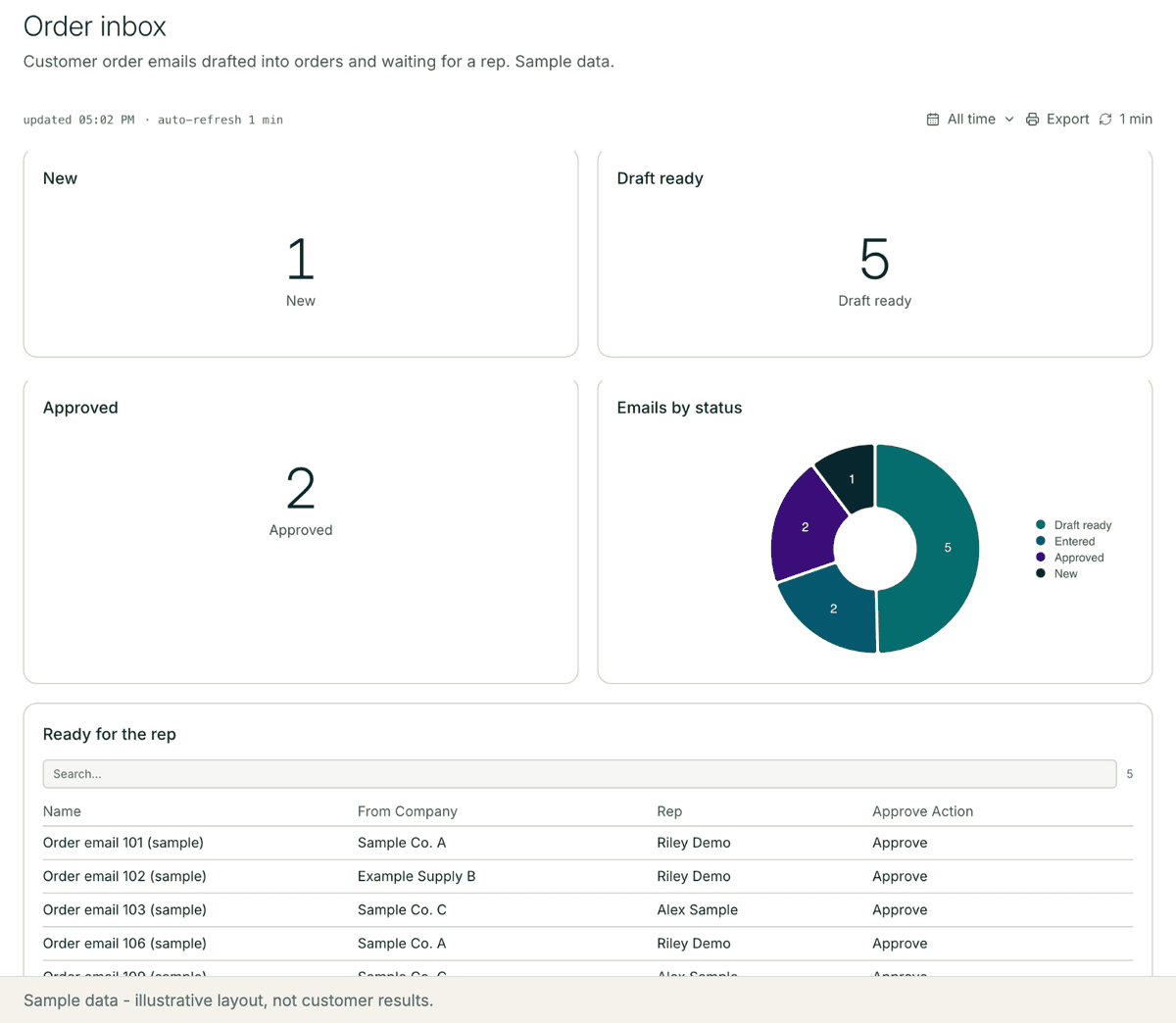
A workflow runs when an order email arrives. It writes the draft lines and the questions onto the record and sets the status to Draft ready.
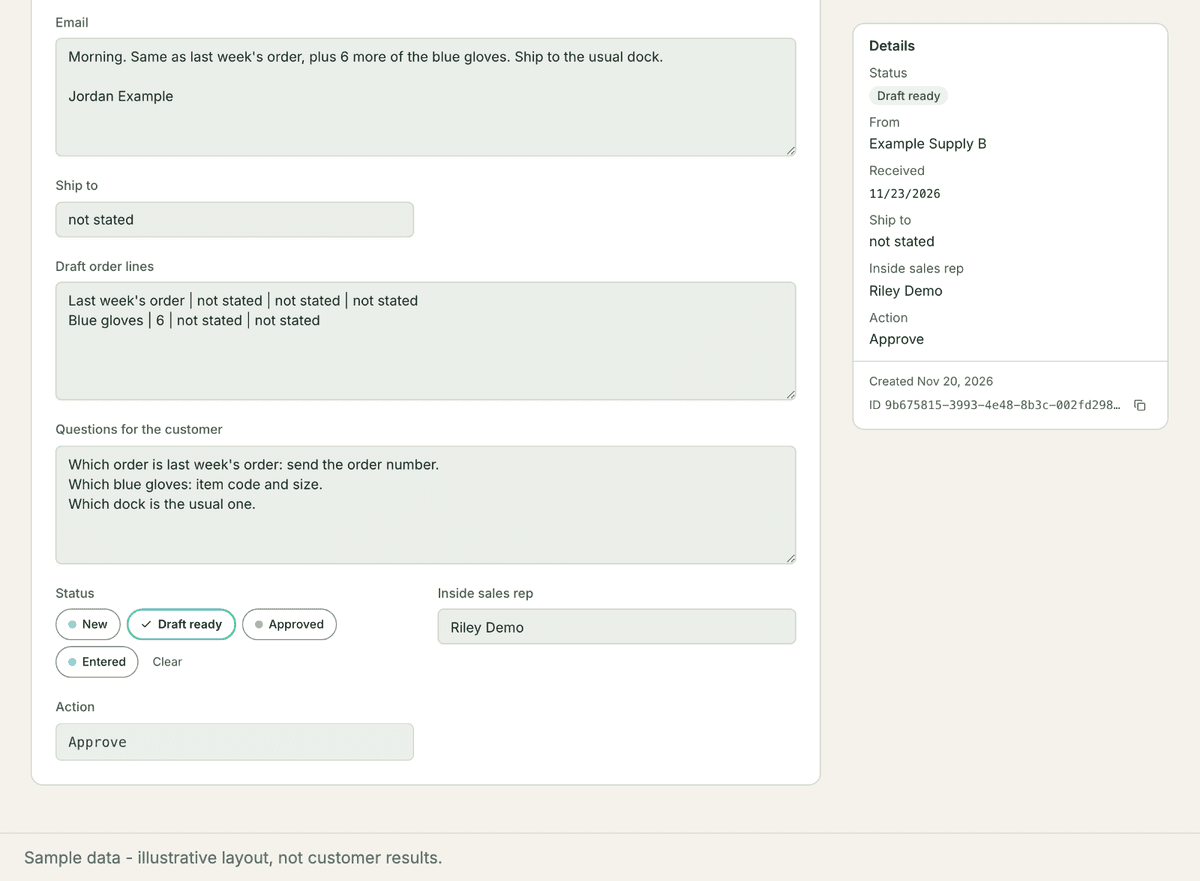
The rep works the Ready for the rep list, answers the questions with the customer and clicks Approve.
How Would We Set It Up for Your Team?
Diagnose. We look at where order emails arrive, who retypes them and which questions your reps ask most often.
Extend. Your ERP and inbox stay where they are. The draft step sits beside them.
Install. The record, the two AI steps, the approval button and the rep's dashboard.
Keep it running. When your products or your customers' habits change, we change the prompts and the questions, and check which drafts the reps had to fix.
Common Questions
Does the AI enter orders into our ERP?
No. In this setup it writes a draft and a list of questions on the record. A rep approves the draft and enters it, or it moves on through an integration chosen after the diagnosis.
What happens when the email is vague?
The draft says "not stated" for anything the email does not give, and the question list asks for it. It never guesses a code or a quantity.
Do we need a platform like Ingram Micro's?
No. The core is one record type, two AI steps and an approval button, beside the tools you already use.
Start With a Free Diagnosis
If your inside sales team still retypes order emails, start with a free diagnosis: in person in Charleston, a 20-minute call anywhere else. We look at where orders arrive and what your ERP already handles, then extend the tools you already pay for, install what is missing and keep it running. More for distributors and manufacturers: Mulstra for manufacturing. Book a free diagnosis.