Product

All the blocks an app needs, in one workspace.

Records, workflows, sites, dashboards and AI share one workspace, so what happens in one shows up in the others. We put them together around how you work.

Book a free diagnosis →

Inside the app

A tour of the real thing.

Screenshots from the running app, in a test workspace with sample data.

Your records, shaped to your business.
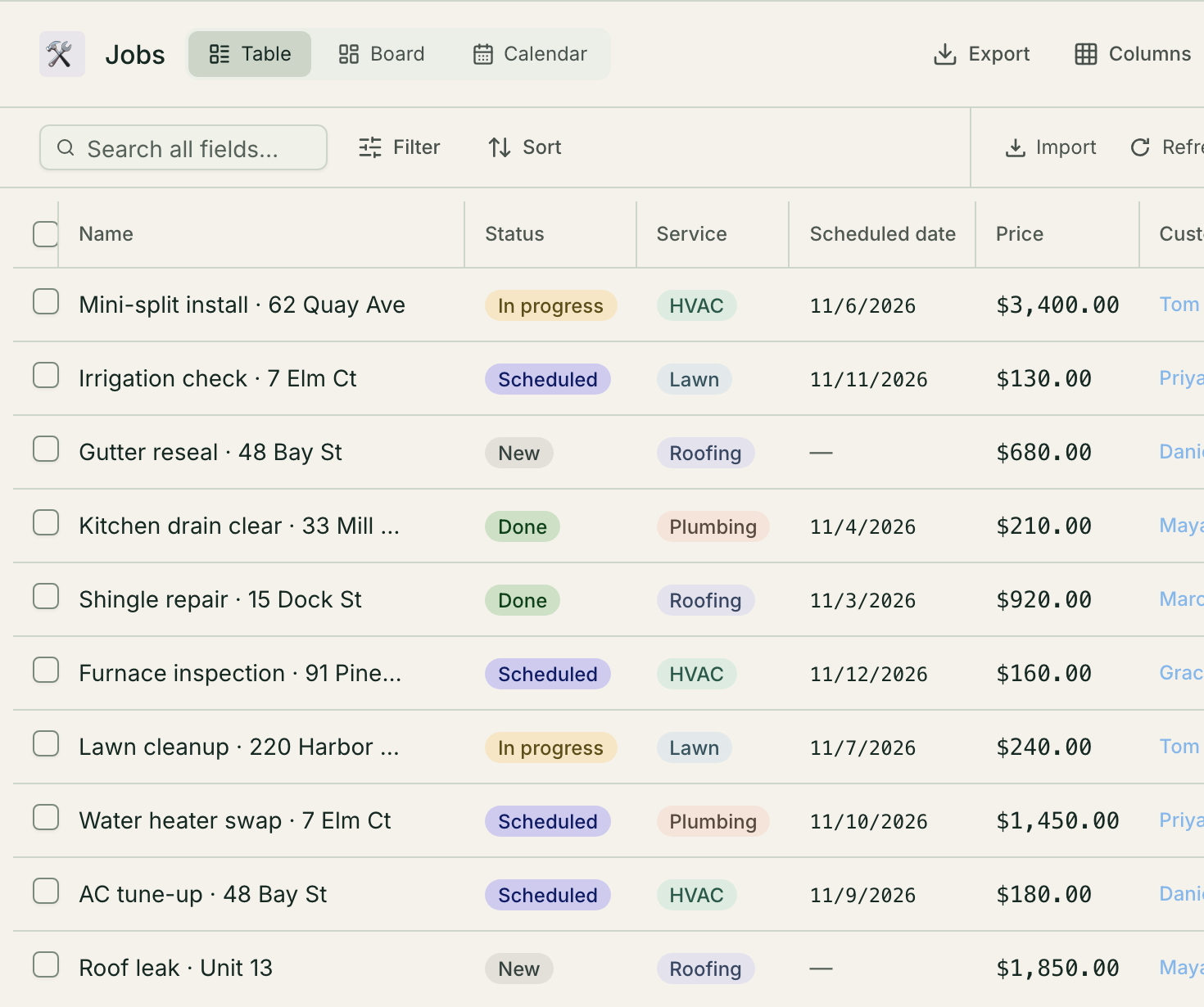
A Jobs table in the Mulstra app with Table, Board and Calendar tabs, a search box, Filter, Sort, Import and Export buttons, and ten rows showing name, status, service, scheduled date and price.
  • Fields you define, from status and price to links between records
  • The same records as a Table, a Board or a Calendar
  • Filter, sort, import and export from one toolbar

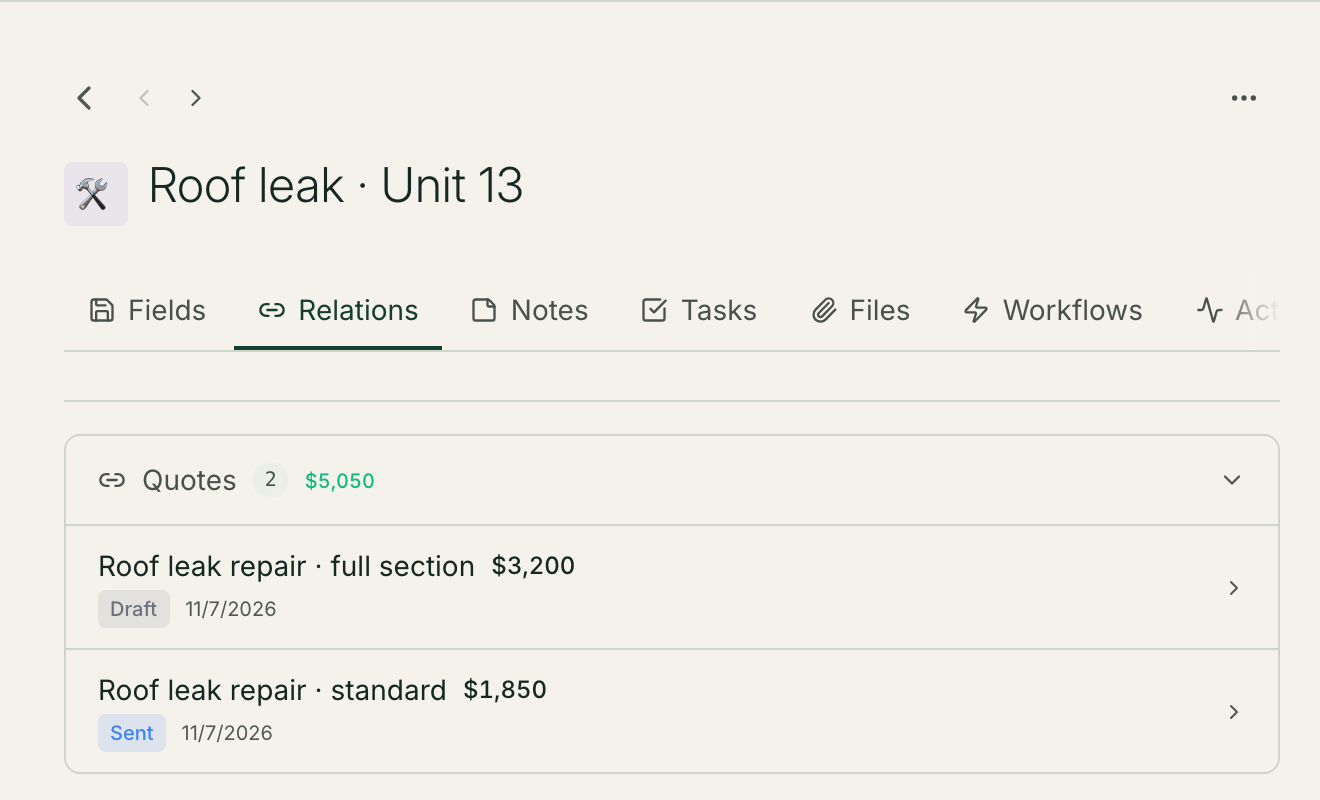
Every record links to the rest of your business.

The job record "Roof leak, Unit 13" with the Relations tab open, listing two linked quotes, $3,200 (Draft) and $1,850 (Sent), under a Quotes header showing a total of $5,050.
  • Relations are fields you define, not fixed columns
  • Open a job and see its quotes, with their total
  • One click opens the related record

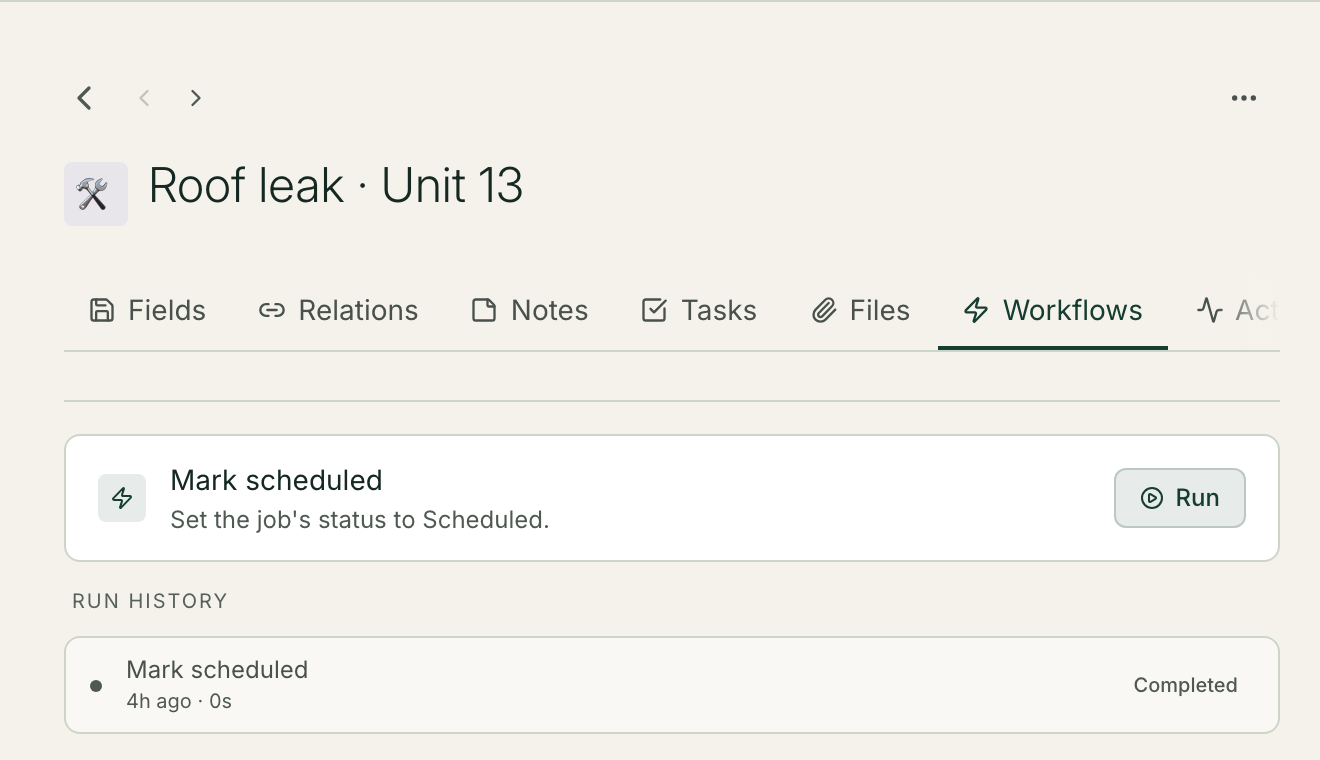
Run a workflow from the record.

The Workflows tab of the job record "Roof leak, Unit 13", showing one workflow, "Mark scheduled: Set the job's status to Scheduled", with a Run button, and its run history with one completed run.
  • The object's manual workflows sit on every record
  • One click runs it on this record
  • Each workflow shows its description before you run it

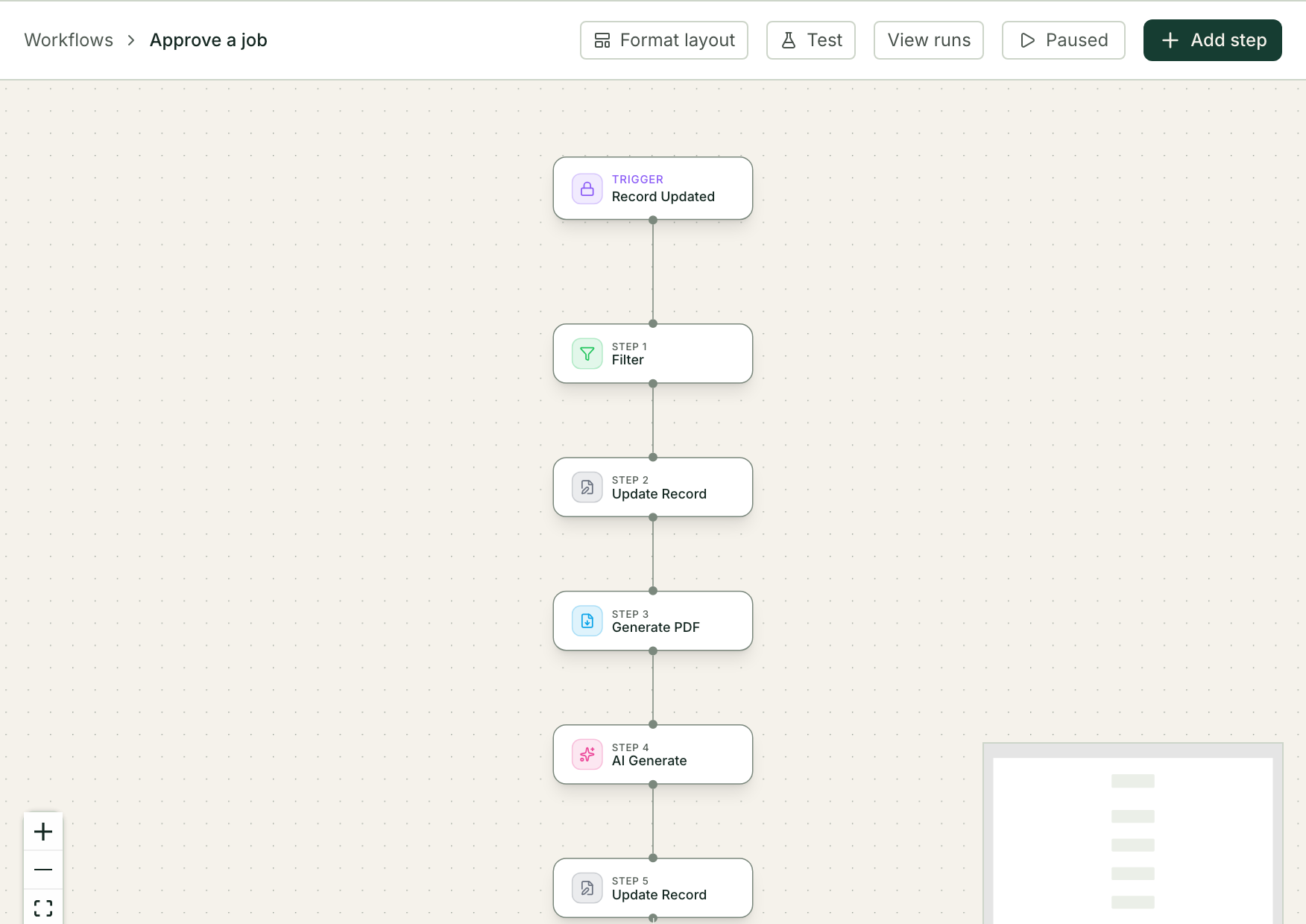
Build the repeat work once.

The workflow builder showing a vertical chain of steps: a Record Updated trigger, then Filter, Update Record, Generate PDF, AI Generate and a second Update Record.
  • Start when a record changes, or on a schedule
  • Steps update records, make a PDF and ask AI
  • Every run is kept on the workflow

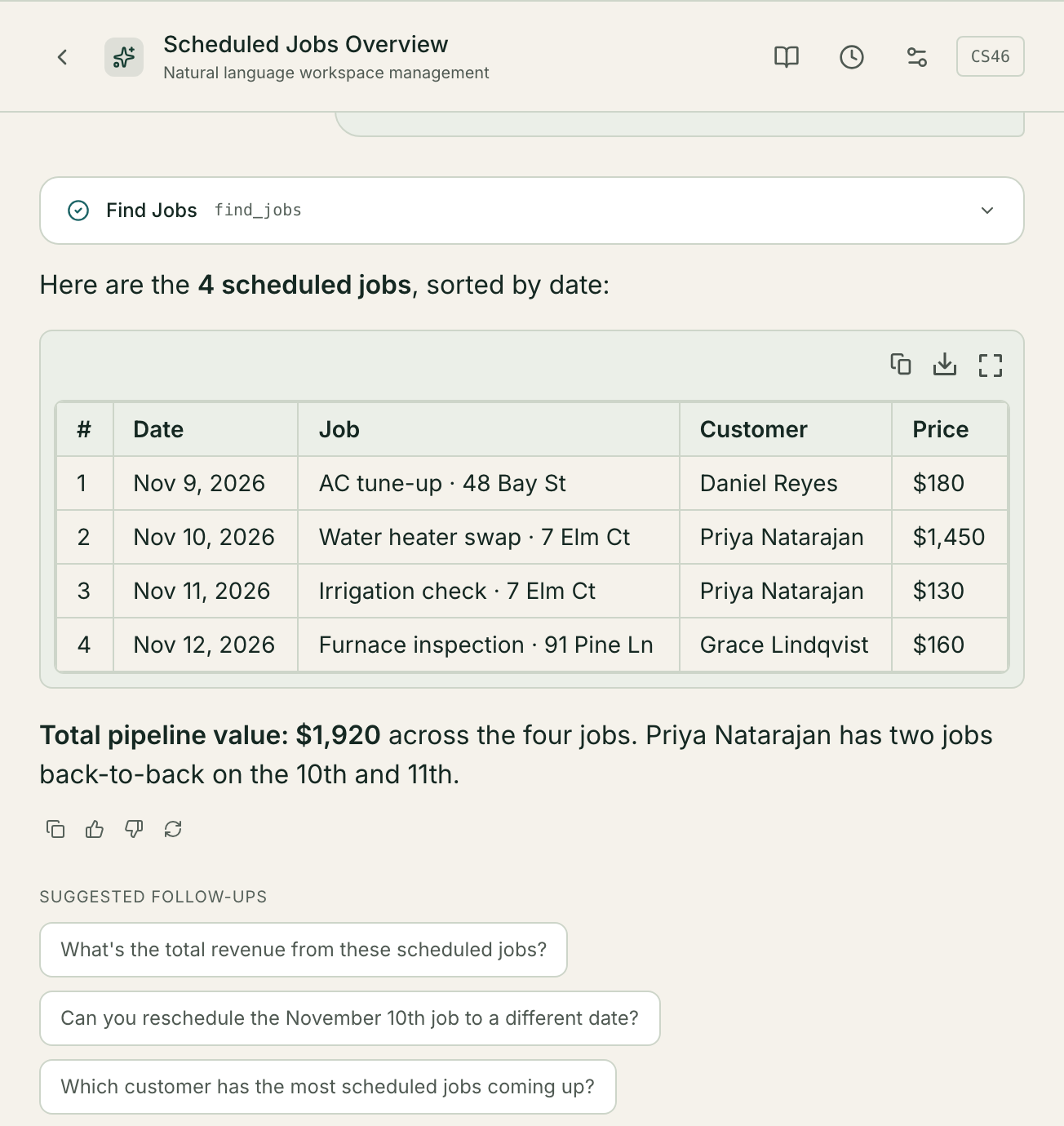
Ask your records a question.

The AI assistant chat "Scheduled Jobs Overview": after a completed Find Jobs lookup, the assistant lists the four Scheduled jobs with date, customer and price in a table, gives a total value of $1,920, and suggests follow-up questions.
  • The assistant reads your records and answers in plain language
  • It shows the lookup it ran
  • It can update records when you ask, once you approve

Forms that fill your records.

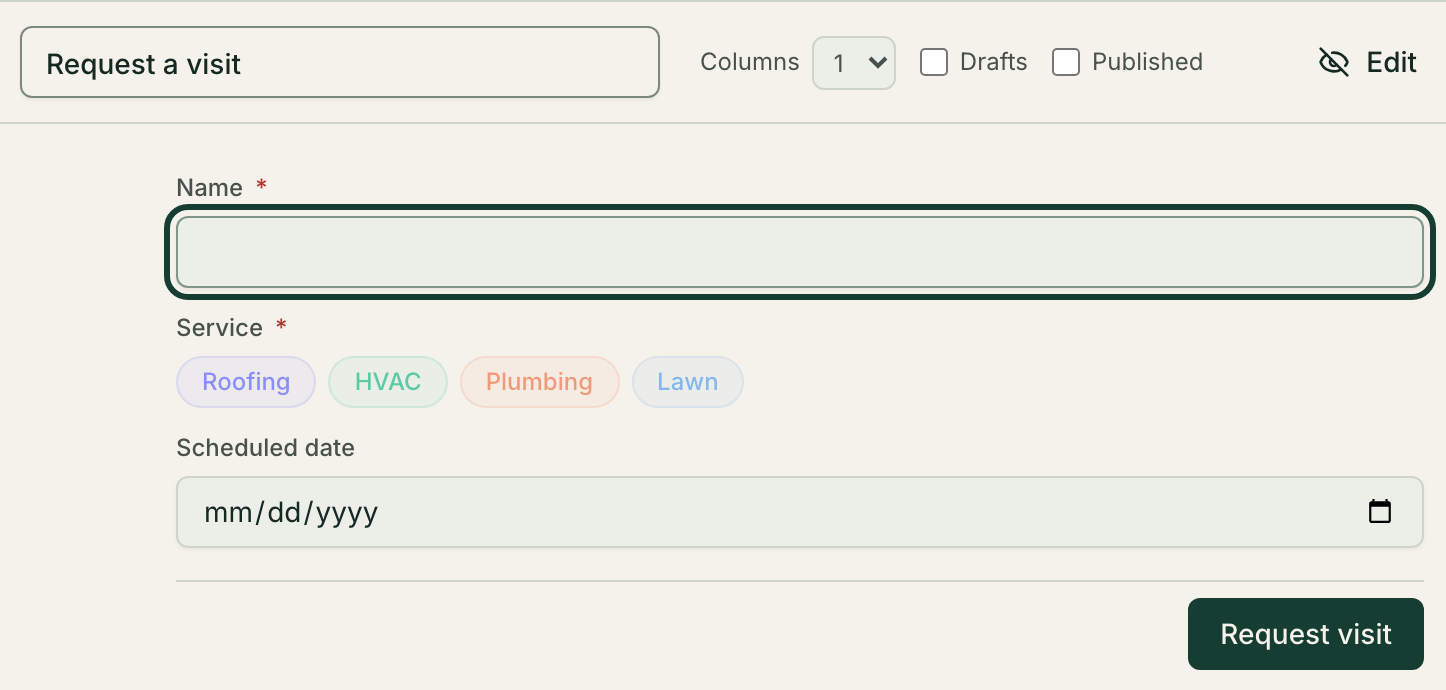
A form called "Request a visit" in preview, with a required Name field, a required Service choice of Roofing, HVAC, Plumbing or Lawn, a Scheduled date field and a Request visit button.
  • A form saves straight into a record
  • Choices come from your own fields
  • Preview it before you publish it

Every block, a closer look

Also in the box

  • Docs

    Pages for your team, with collections and tags

  • Inboxes and sequences

    Shared inboxes and follow-up emails in steps

  • Scheduler

    Event types, hosts and booking pages

  • Phone receptionist

    Answers, takes a message, writes the call up

  • Documents and e-sign

    PDFs from your records, signed online

  • Roles and history

    Custom roles, audit log and record versions

Security

Security, in plain terms.

  • Role-based access control (RBAC)Roles decide which tables each person sees, down to the rows assigned to them.
  • Scoped API keysStored as SHA-256 hashes. A key, an AI’s too, can be limited to chosen tables and to read-only, and can expire or be revoked.
  • Row-level security (RLS)On for every workspace table. No policy opens it to anonymous or public access.
  • Activity log and version historySee what changed, and restore any record’s earlier versions.