Why Do Freight Invoices Go Out Wrong?
Because the invoice and the agreement live in different places. The rate is in one system, the fuel surcharge schedule in a contract file, the detention note in an email, and the invoice is built from whatever the biller can see. One wrong week of diesel price or one accessorial the customer never agreed to, and the invoice turns into a dispute.
Shippers feel it too. FreightWaves cites a 2026 survey of LTL shipping professionals by MyCarrier and Mastio & Company in which 67% named disputing carrier overcharges as the most difficult or time-consuming part of freight audit and payment.
What Did J.B. Hunt and Groundtruth Build?
On November 20, 2026, FreightWaves reported that Groundtruth, a startup developed through J.B. Hunt's venture-building partnership with Vantora, launched an AI platform that checks freight invoices before they reach the customer. It reconciles commercial agreements, shipment records, emails and operational documents to see whether an invoice reflects the agreed terms. Fuel surcharges are one of the charges it checks: carriers calculate them from an agreed schedule tied to the weekly average diesel price, so the wrong week or the wrong schedule produces a billing discrepancy.
The design choice worth copying is the review. CEO Alex Rustioni told FreightWaves that when the platform finds an exception, it "shows the customer experience team the evidence behind it," and a person with context on that customer decides whether to make a correction. FreightWaves reports the platform is close to 100% deployed across J.B. Hunt's internal departments.
Most carriers and brokers will never build a platform. The core check is small enough to build yourself.
How Do I Build an Invoice Check Myself?
Five steps. A spreadsheet with an AI add-on can do a rough version, and so can Mulstra.
One record per invoice with the customer, lane, ship date, the agreed fuel surcharge for that week beside the one billed, and the accessorials the agreement allows beside the ones billed.
A rule check that compares them. Surcharge rates are numbers, so a plain comparison is the right tool. Keep AI out of the arithmetic.
A status from the result: Clear, or Exception with a one-line summary.
An AI evidence note on every exception: what differs, and which invoice field and which agreement field it comes from. This is where AI earns its place, turning a messy accessorial line into a note a reviewer can read in ten seconds.
A button for the reviewer. The person corrects the invoice in your billing system and clicks Mark corrected. Nothing is corrected or sent on its own.
Run it on last month's invoices first. Every exception your team already knew was fine tells you what to fix in the agreed terms, not in the prompt.
What Does This Look Like in Mulstra?
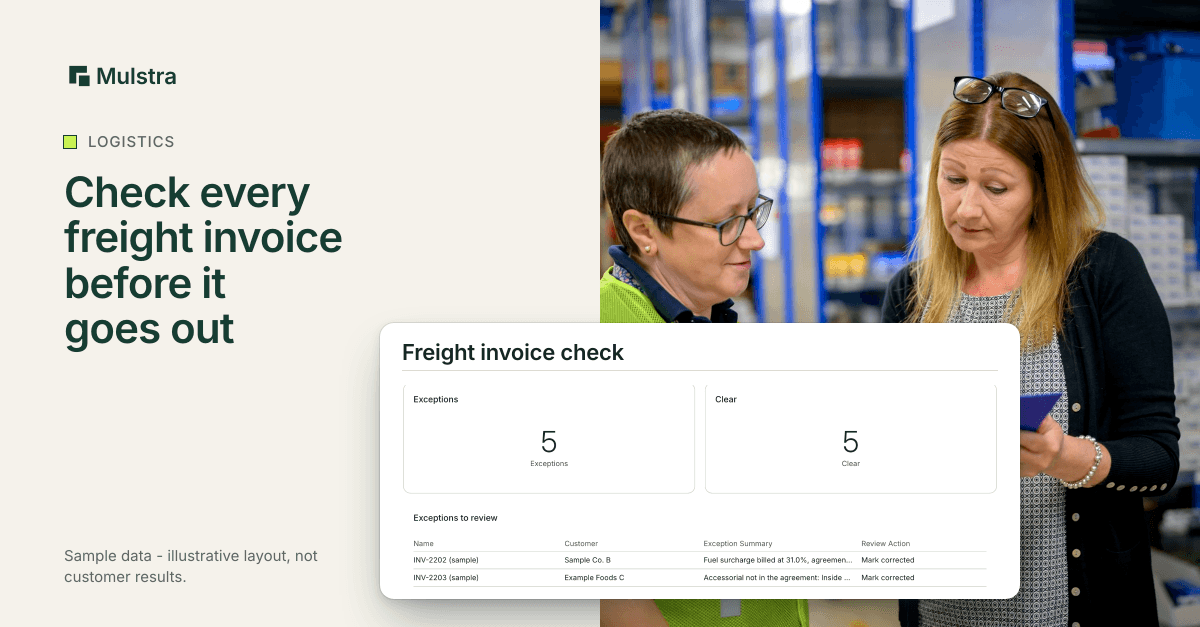
Here is that check built in Mulstra, with sample data.
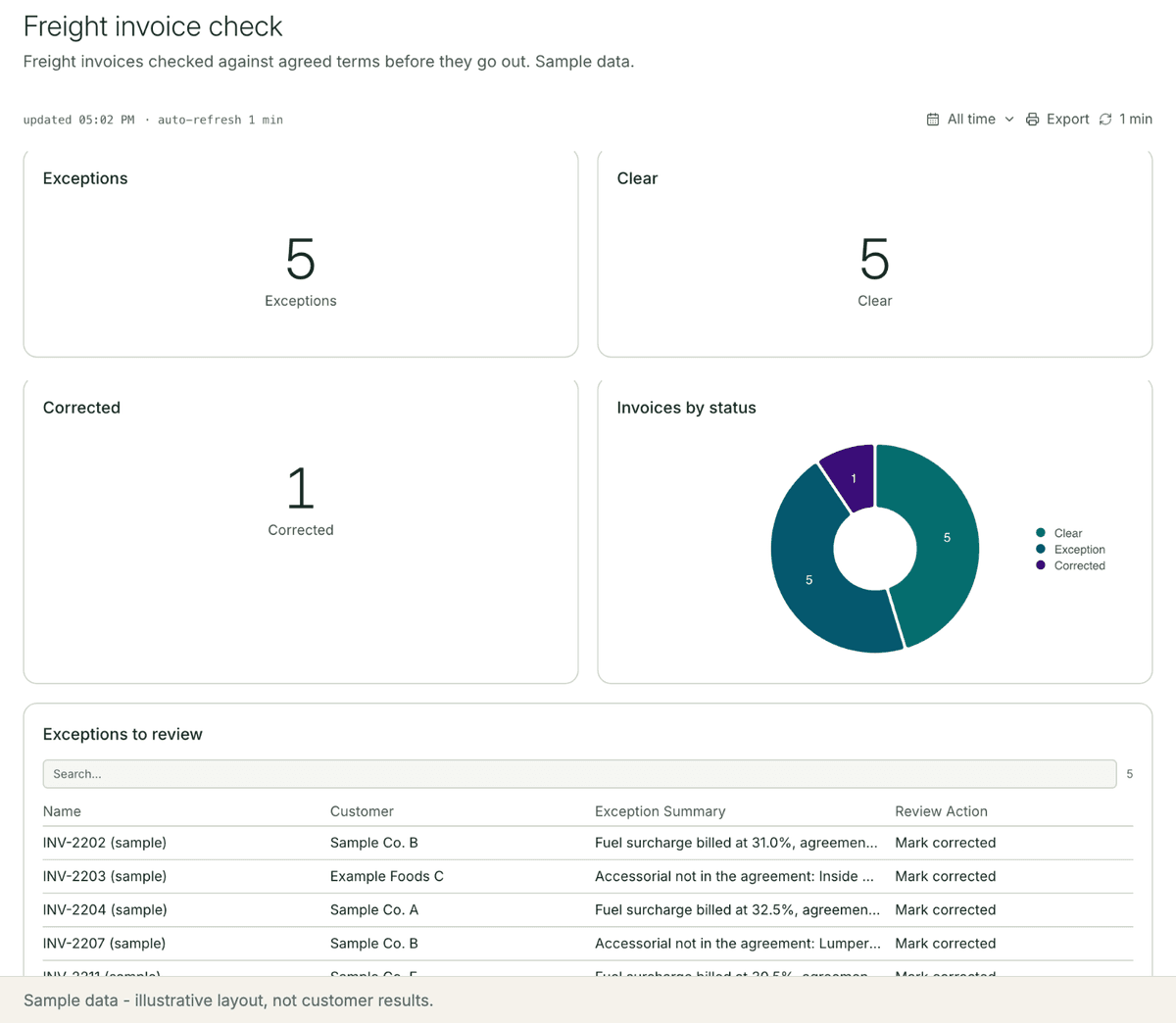
A workflow runs when an invoice is created or edited. The rule check sets the status, and the AI step writes the evidence onto the record.
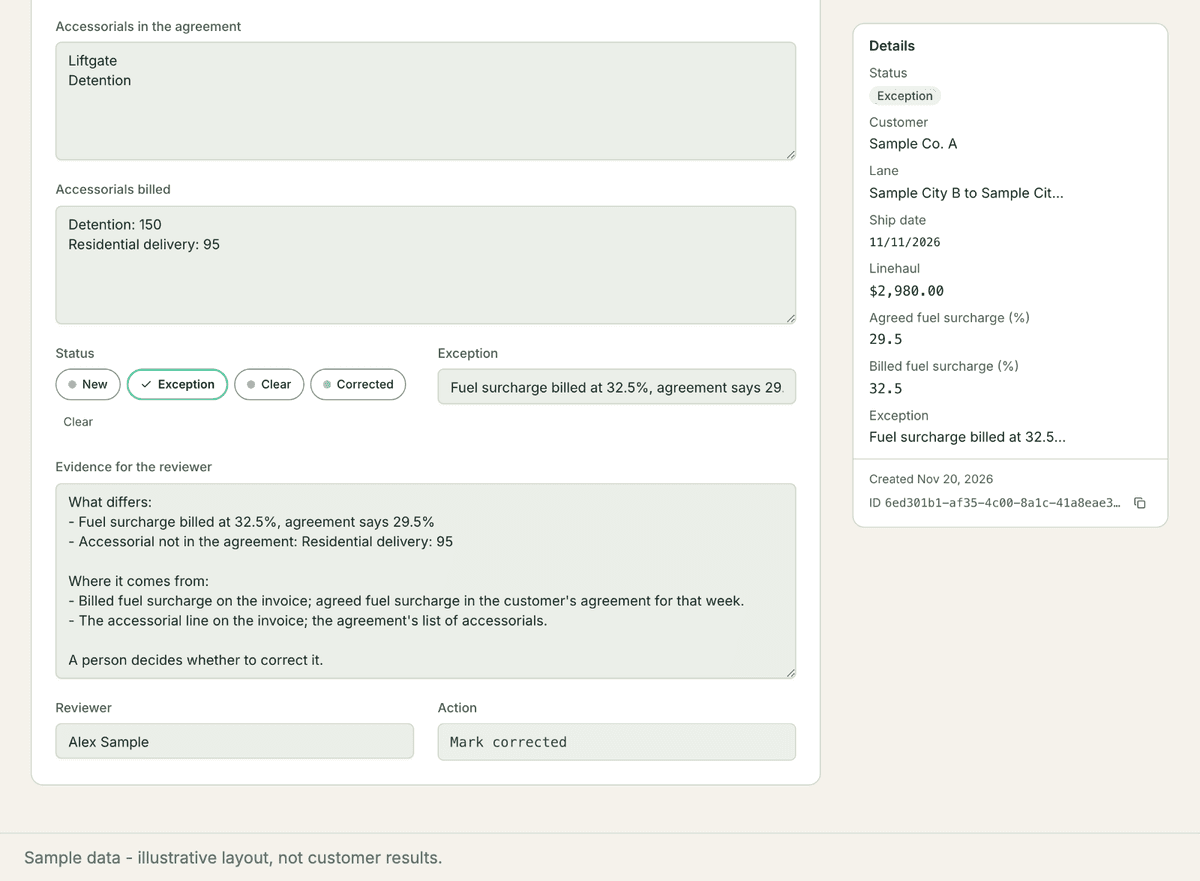
The reviewer starts the day on Exceptions to review, reads each note and marks the ones they have fixed.
What Should Stay With a Person?
The correction. Only someone who knows the customer can tell a billing error from a one-off arrangement agreed on the phone.
The agreed terms. When a surcharge schedule or an accessorial list changes, a person updates it. The check is only as right as the terms it reads.
Common Questions
Does the AI change the invoice?
No. In this setup the AI only writes the evidence note. A rule sets the status, and a person corrects the invoice and clicks Mark corrected.
Which charges should the first check cover?
Start with the charges your customers dispute most. The FreightWaves report uses fuel surcharges as its example, because applying the wrong weekly diesel price or the wrong surcharge schedule produces a discrepancy.
Can it read our existing agreements?
The AI step can read a PDF by URL, so an agreement stored as a PDF can feed the check. Most teams start by entering the agreed surcharge and accessorials on each customer's record, then add the documents.
Start With a Free Diagnosis
If your team finds billing errors after the customer does, start with a free diagnosis: in person in Charleston, a 20-minute call anywhere else. We look at where your agreed terms live and what your TMS and billing tools already hold, then extend the tools you already pay for, install what is missing and keep it running. More for logistics teams: Mulstra for logistics. Book a free diagnosis.