Why Do Shipments Get Held for Paperwork?
Usually because one document was missing and nobody noticed until the entry was due. The commercial invoice came in, the packing list did not, and the email that would have asked for it was never written because the file looked complete at a glance.
What Did C.H. Robinson Automate?
In a release on October 26, 2026, C.H. Robinson described AI agents that split incoming documents, classify them and attach each one to its shipment. Another agent pulls out the data the entry needs, and the system "monitors for missing documents and requests them." The company says the time its team spends on this has dropped by 23%, and that its customs brokers now focus on validation and compliance.
Most forwarders and brokers will never build a fleet of agents. The core of it, knowing what each shipment is missing, is small enough to build yourself.
How Do I Build a Missing-Documents Check?
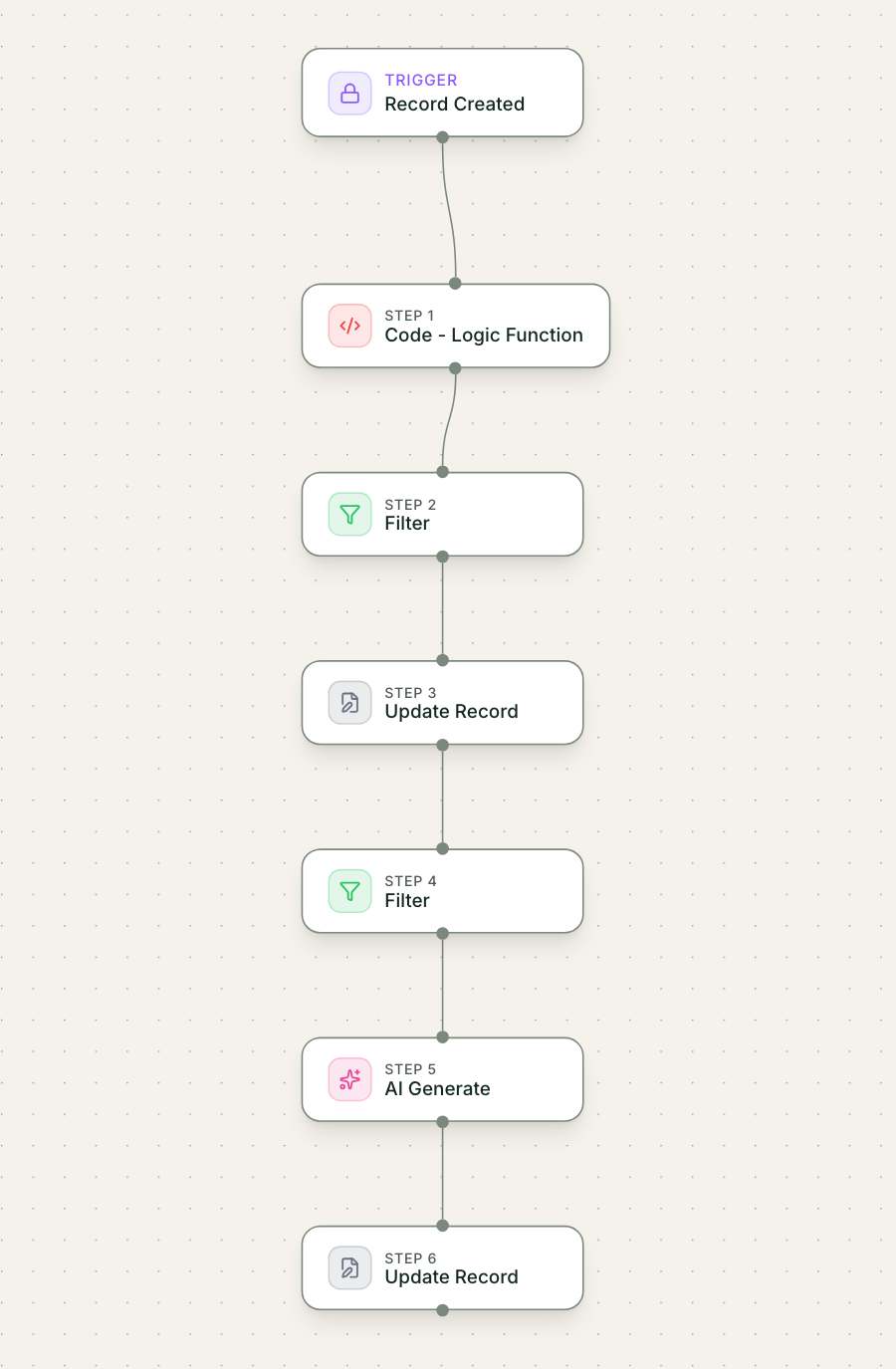
Five steps. A spreadsheet tool with an AI add-on can do it, and so can Mulstra.
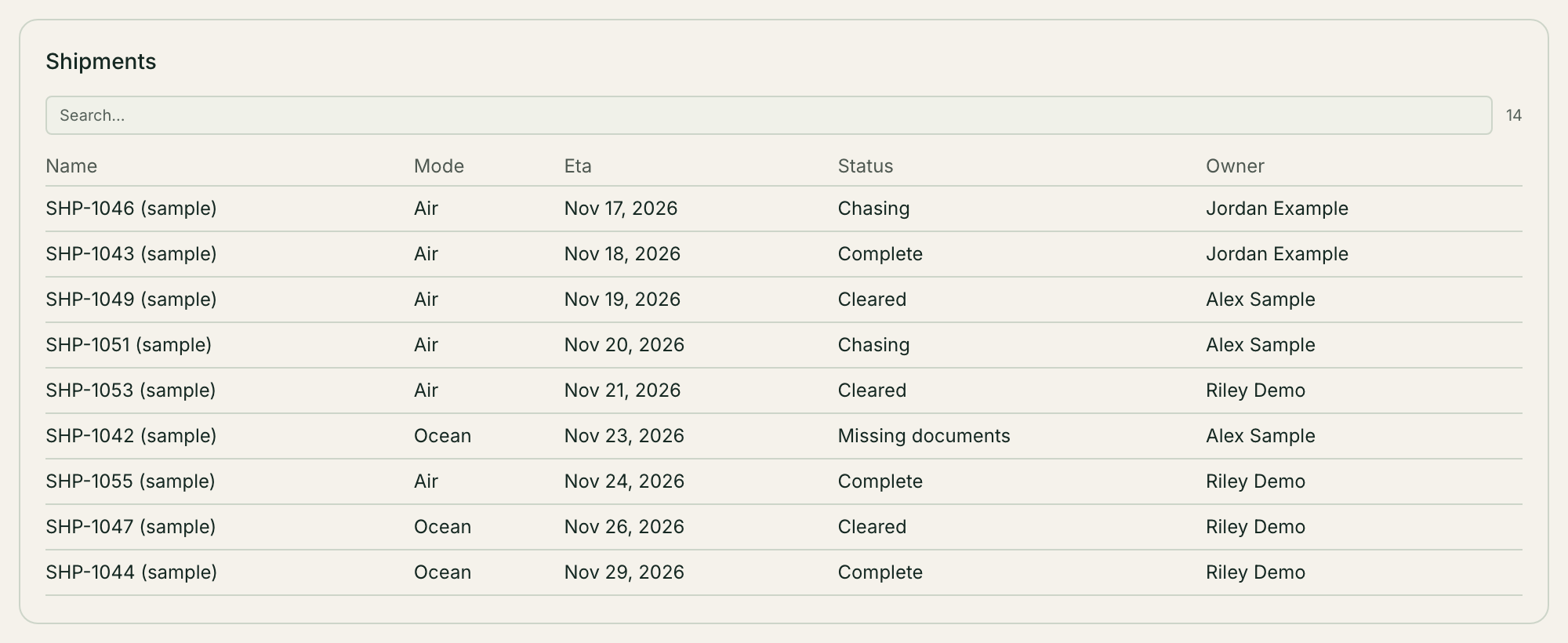
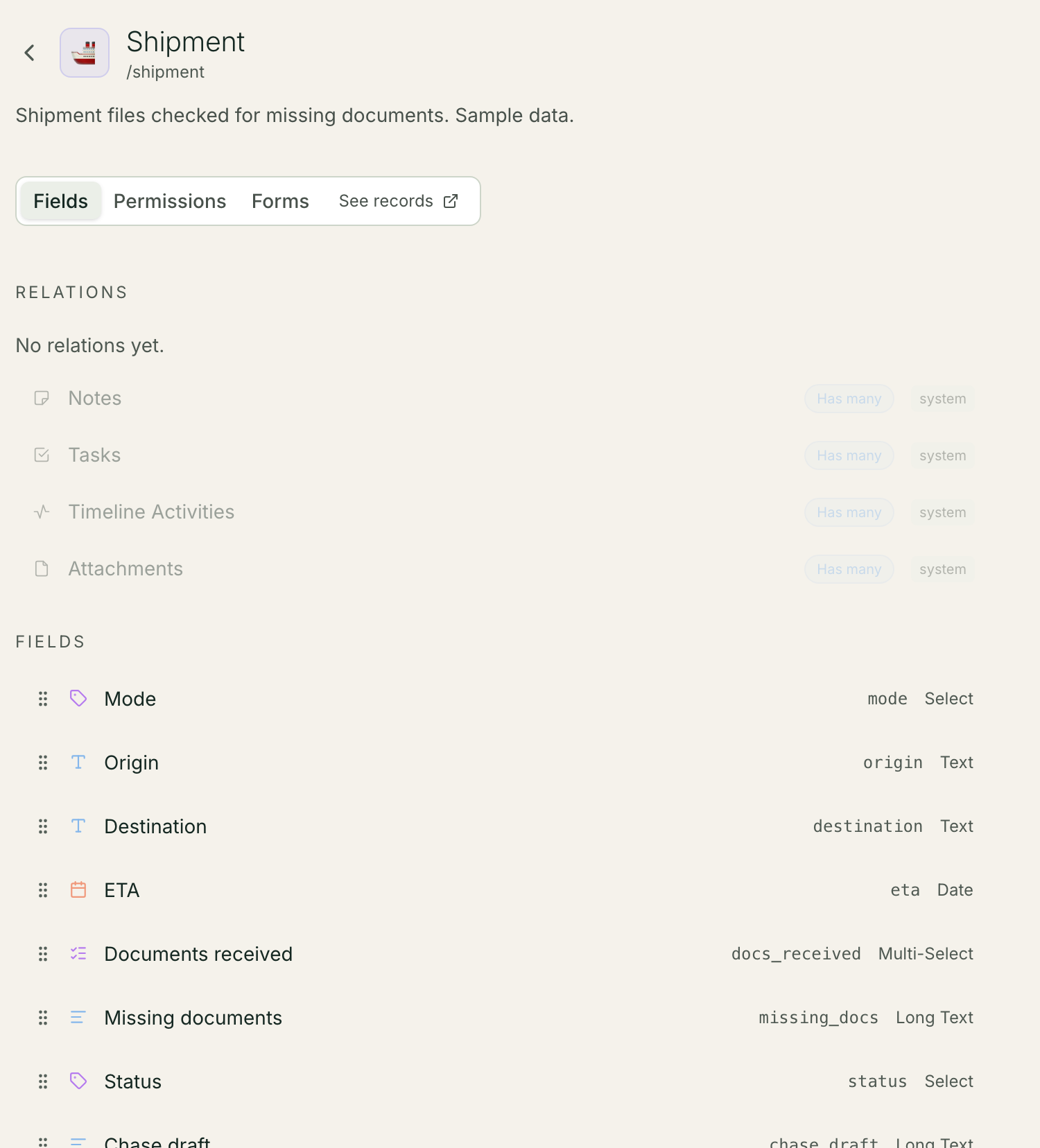
List your shipments with the mode (ocean or air), the ETA, the owner and the documents received so far.
Write down what each mode needs. For example: commercial invoice, packing list and bill of lading for ocean, plus the importer security filing; commercial invoice, packing list and air waybill for air. Use your own list and your broker's rules.
Compare the two with an AI step. The prompt gets the mode, the required list and what was received, and writes back only the missing items, one per line. A plain comparison would do for a fixed list; AI earns its place when documents arrive under messy names.
Set a status from the result: Complete, or Missing documents.
Draft the chase note. The AI writes a short, polite request to the shipper naming the missing documents and the ETA. A person reads it and sends it. Nothing goes out on its own.
Test it on last month's shipments. If it flags something your team already knew was fine, fix the required list, not the prompt.
- Trigger: A shipment or its documents change
- AI step: AI lists the missing documents
- Action: Status becomes Complete or Missing documents
- AI step: AI drafts a chase note
- Approval: A person reads and sends the note
- Result: Ops works the Missing documents list
What Does This Look Like in Mulstra?
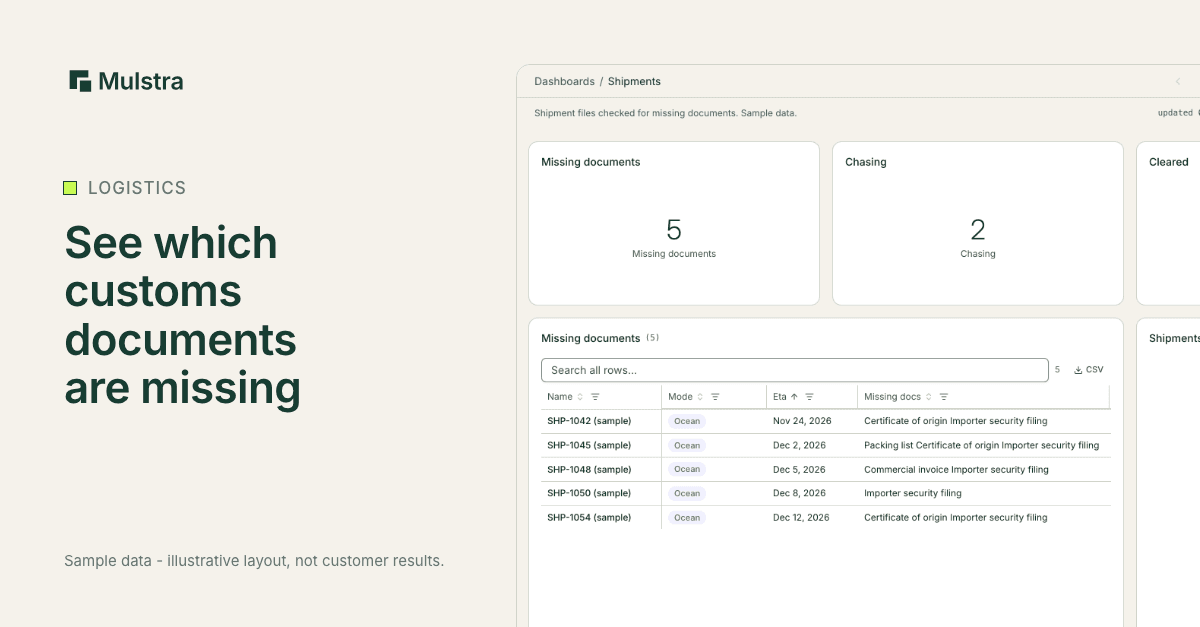
Here is that check built in Mulstra, with sample data.
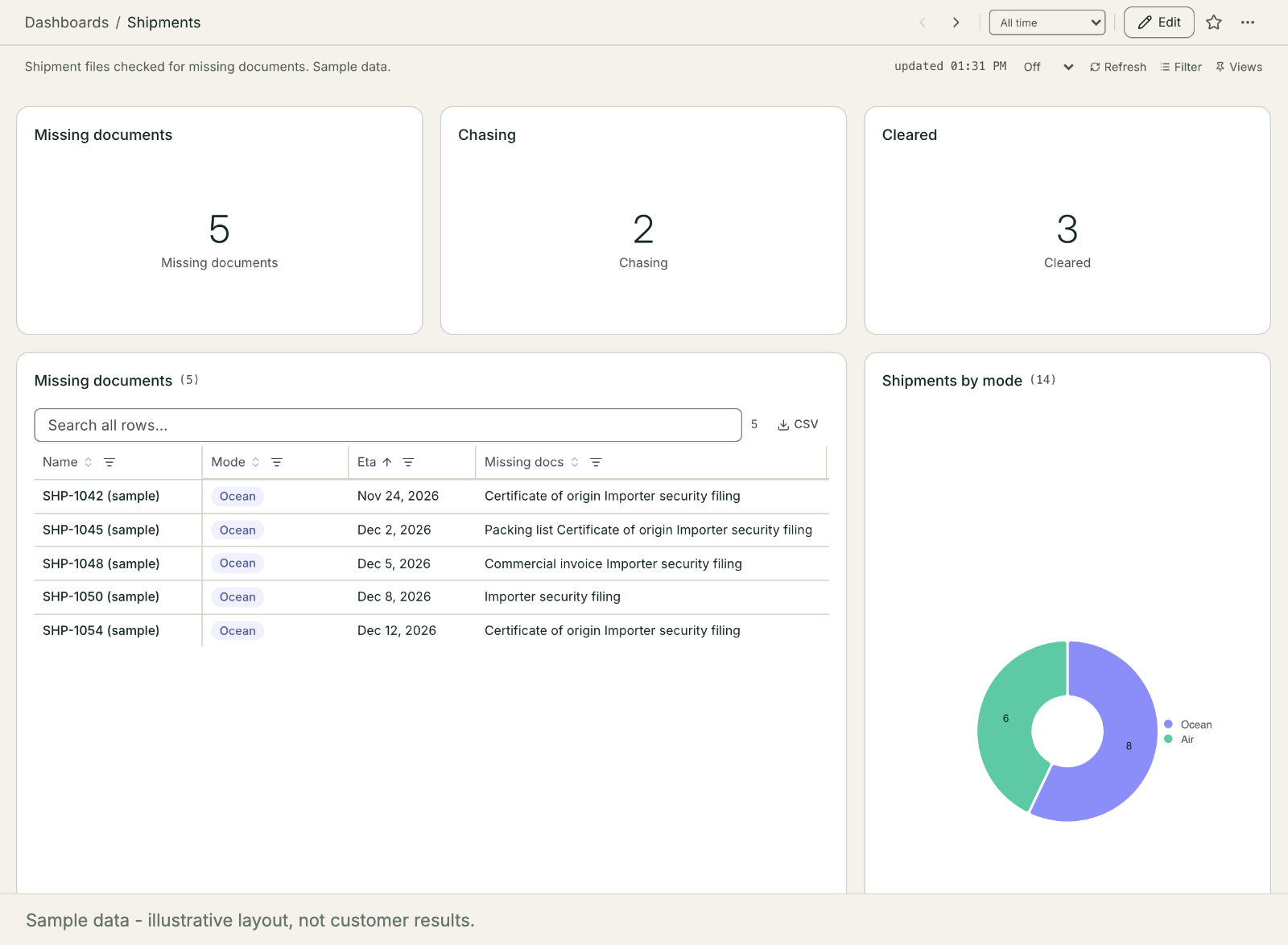
A workflow runs whenever a shipment is created or its documents change. It writes what is missing, sets the status and drafts the chase note onto the record.
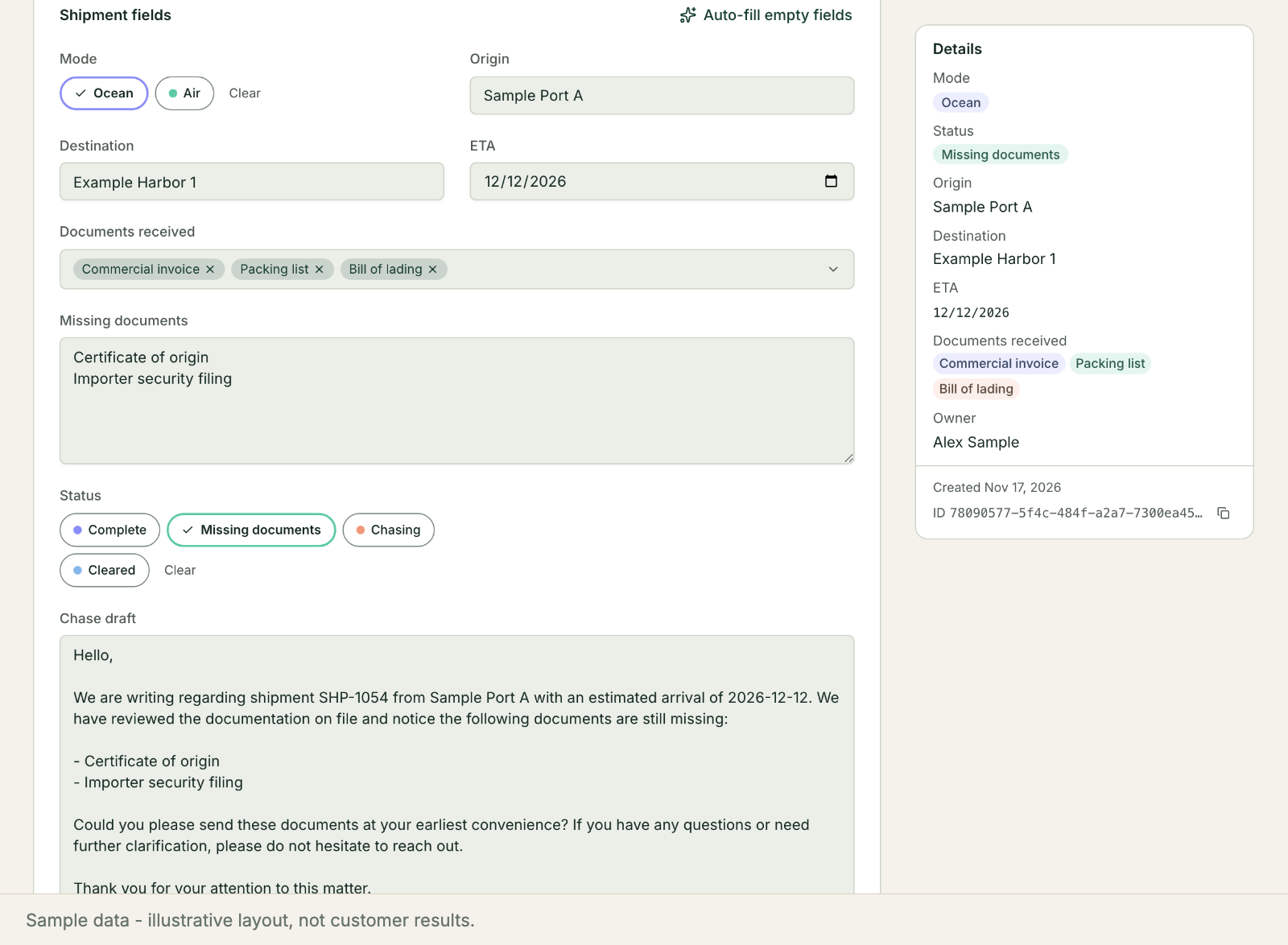
The operations lead starts the day on the Missing documents list, reads each draft and sends the ones that are right.
What Changes When It Runs Every Day?
The list stops living in someone's head. A new hire can see what is missing on day one, a shipment with a close ETA rises to the top, and the morning starts with a list instead of a search.
What Should Stay With a Person?
The check notices. People decide. Three parts of the job should stay with your team even when the check runs every day:
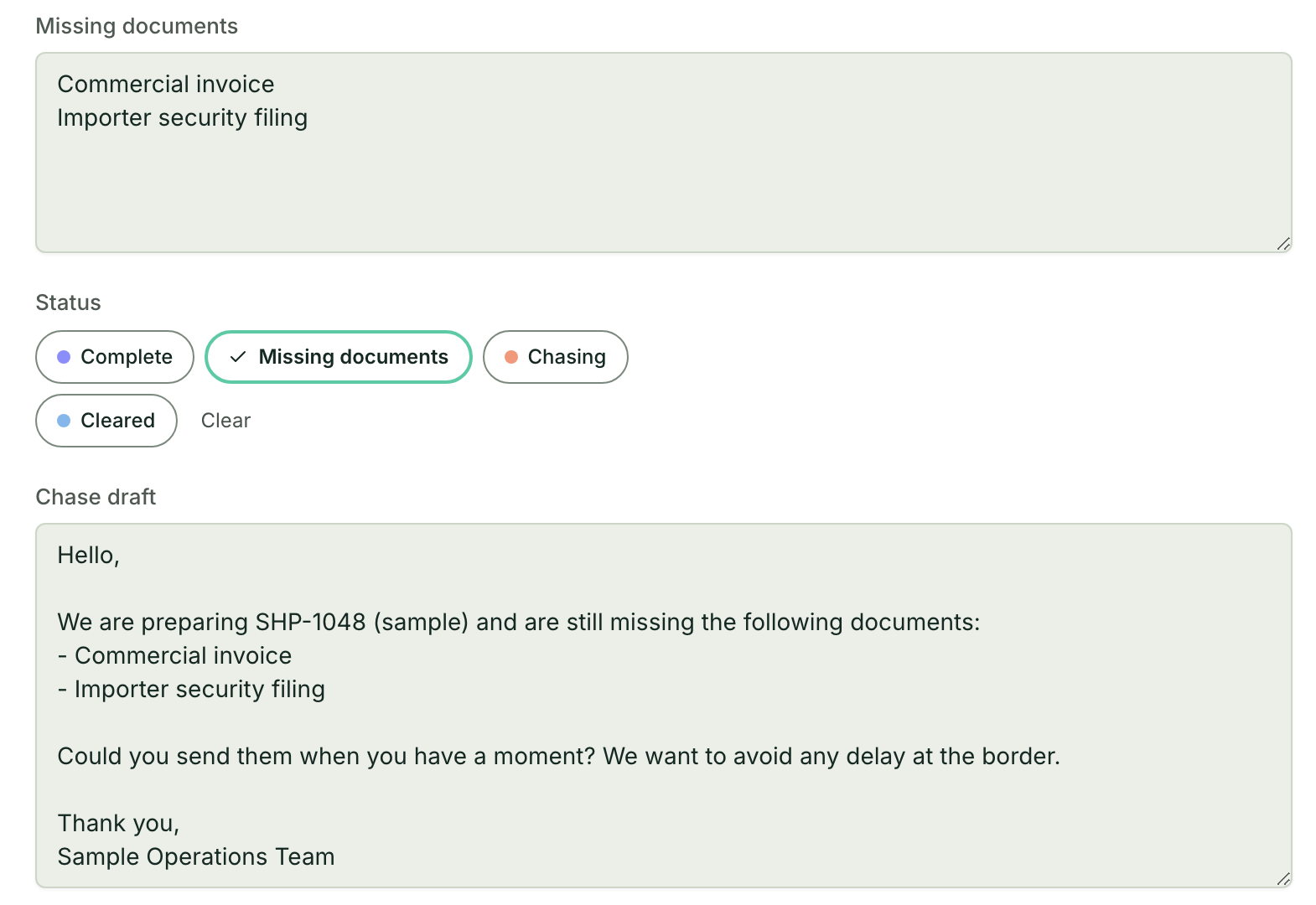
Sending the chase note. The shipper relationship is yours, and a note that reads wrong to one shipper costs more than a day.
Deciding what counts as received. A blurry scan or a draft invoice may need a second look before the check marks it complete.
Validation and compliance. The release itself says this is where its brokers now spend their time, and it is the part an AI step should support, not replace.
Start With a Free Diagnosis
If your team builds the missing list by hand, start with a free diagnosis. We look at where documents arrive today and what your TMS already tracks, then extend the tools you already pay for, install what is missing and keep it running. More for logistics teams: Mulstra for logistics. Book a free diagnosis.