It can be safe, when two things hold. The AI sees only what the person asking it is allowed to see, and you can tell what it read or changed.
For most small businesses the risk sits in two places: what people paste into a chat window, and what an AI tool connected to your systems can reach. This guide covers both, and ends with five questions to ask any vendor before you connect your data.
How Many Small Businesses Use AI Today
Fewer than you might think. In a May 2026 report, the US Census Bureau found that less than 20% of firms with four or fewer employees reported using AI. Across all US businesses, 25% said they used AI in the two weeks of October 5 to 18, 2026, in the Census Bureau's Business Trends and Outlook Survey.
So most small businesses are making this decision now, and it is worth making on purpose.
What Never Goes Into a Public Chat Window
A public AI chat is a website you type into. Treat it like an email to a stranger. Keep these out:
card numbers, bank details and Social Security numbers;
passwords and sign-in codes;
a customer's full record, pasted in to tidy up;
anything a contract says stays private.
Each tool has its own terms on whether it keeps or learns from what you type, and they differ by plan. Read them for the tool and plan you use before anyone on your team pastes in customer data.
What an AI Assistant Should See at Work
An assistant inside your business systems should see what the person asking can see, and nothing more. You would not give a new hire the keys to every room, and the same rule fits here.
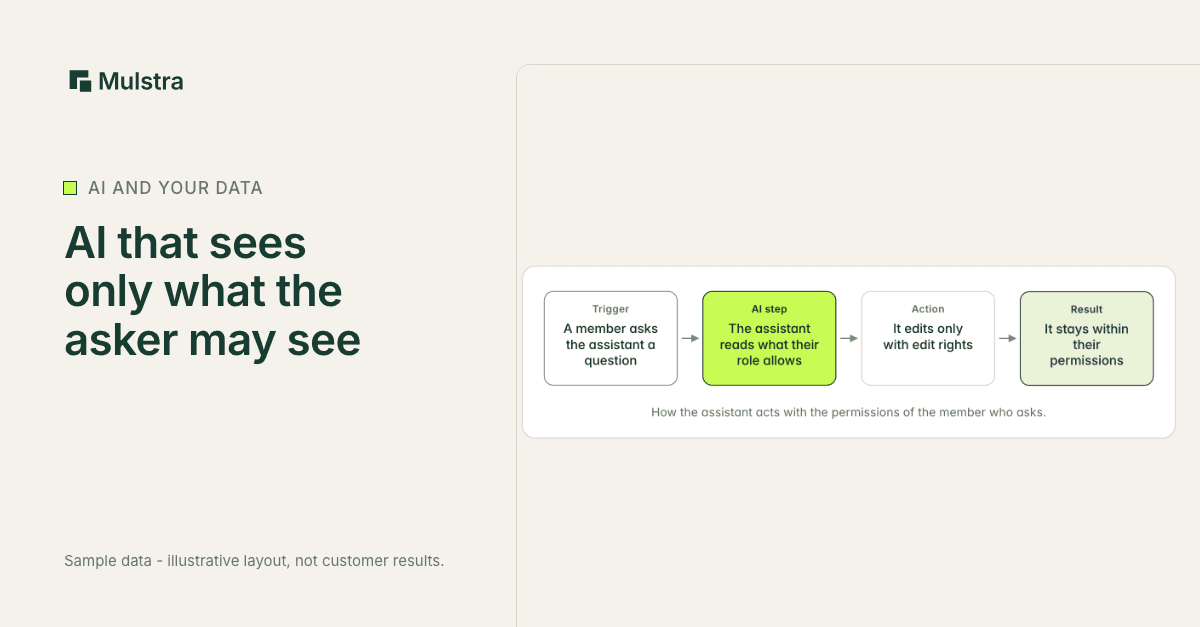
That is how the assistant inside Mulstra works. It acts with the permissions of the member who asks, never the whole workspace's:
- Trigger: A member asks the assistant a question
- AI step: The assistant reads what their role allows
- Action: It edits only with edit rights
- Result: It stays within their permissions
Owners and admins get the full workspace, as they do everywhere else.
Other members get only the kinds of records their role allows, with the same read and edit rights they have on screen.
Members limited to their own rows are refused by the assistant, so it never shows them more than their share.
It answers plain-English questions about your records, and it can update a record when the person asking has the right to edit it.
Outside AI Tools Need Their Own Key
If you connect ChatGPT or another outside AI tool to your data, give it its own key and limit it. A Mulstra API key:
is stored as a hash and shown once, when it is made;
reaches only the tables you choose;
is read-only, or read and write;
can expire on a set date, and can be turned off at any time.
A key belongs to the workspace, not to one person's role. Pick its tables with that in mind.
Keep a Record of What Changed
When something looks wrong, you need to see what changed and put it back. Mulstra keeps an activity log for the workspace and a version history on records, and a past version can be restored.
Passwords and keys for the services you connect, like your email or payments provider, are stored encrypted with AES-256-GCM.
Five Questions to Ask Any AI Vendor
Does the assistant see what the person asking sees, or everything?
Can I limit an outside tool to some tables, and make it read-only?
Can I turn a key off today, without calling anyone?
Is there a log of what changed, and can I undo a change?
How are the passwords for my connected services stored?
Book a Free Diagnosis
If you want AI in your business without handing it everything, a Strategist will meet you, in person in Charleston or on a 20-minute call anywhere else, map where your customer data lives today and who needs to see it, and show you what we would build around the tools you already pay for. The diagnosis is free.