What Happens to a Service Call at 9:40 at Night?
At most service companies it goes to voicemail. The caller tries the next company on the list, and the job is gone before anyone in your office knows it existed.
Brothers Plumbing, Heating & Electric in Denver lived with that for decades. Its lead systems administrator, Tyler Frydenlund, told ServiceTitan in a story published September 2, 2026 that after-hours callers went to voicemail and some waited 10 hours or more for a call back.
The company put an AI agent on its phones and texts, booking against real zones, technician skills and job types. Frydenlund says the call abandon rate "was hovering around 30%" and now sits closer to 10%. The call center did not shrink. It added a person.
What Did They Actually Change?
The phone agent gets the attention. The part worth copying is the order of work behind it:
Every request becomes a record the moment it arrives, whatever the channel.
The record is triaged at once: what is wrong, how urgent, which trade, which area.
A booking is proposed against real capacity, not a blank calendar.
A person can still step in on anything the agent cannot handle.
That order works with or without a voice agent in front of it. A web form, an answering service note or an email can feed the same four steps.
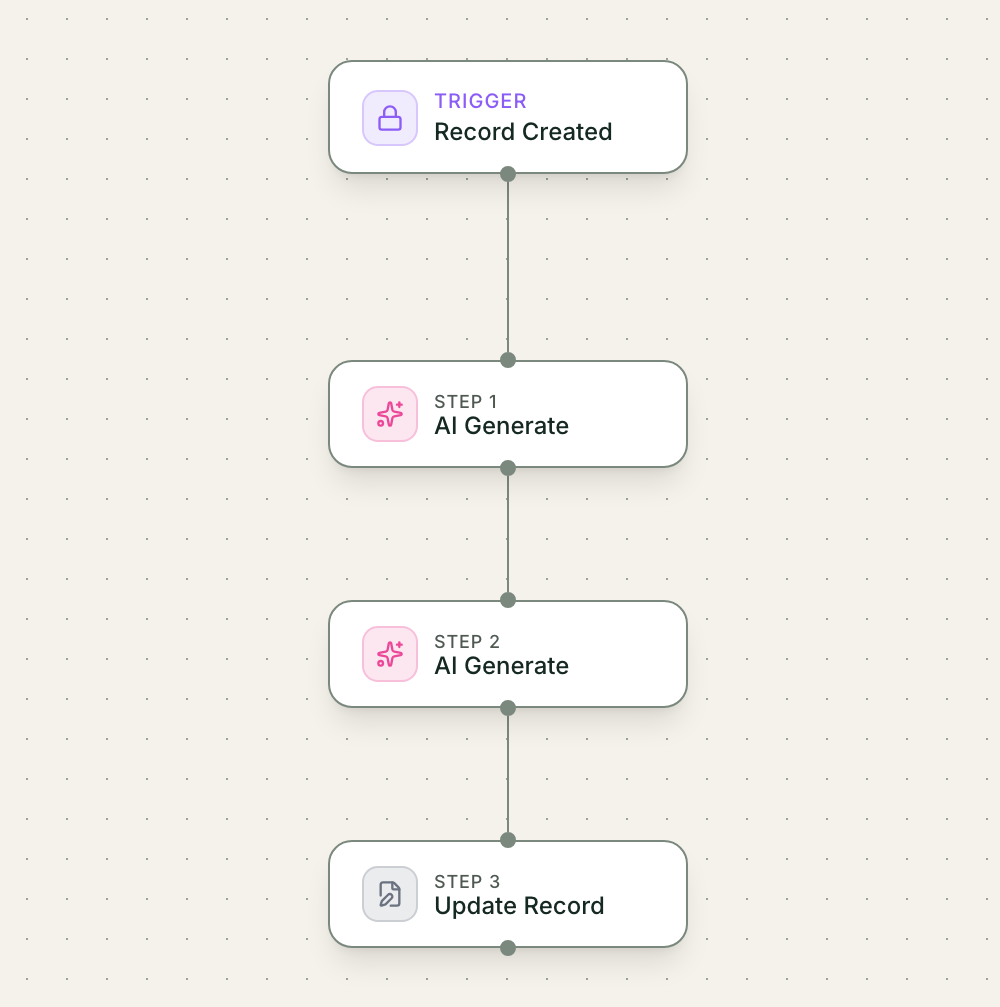
- Trigger: A request arrives and becomes a record
- AI step: AI summarizes it and suggests a slot
- Action: The request moves to Needs approval
- Approval: The dispatcher reads and clicks Approve
- Result: Nothing is confirmed before a person approves
What Does This Look Like in Mulstra?
Here is the same setup, built in Mulstra with sample data.
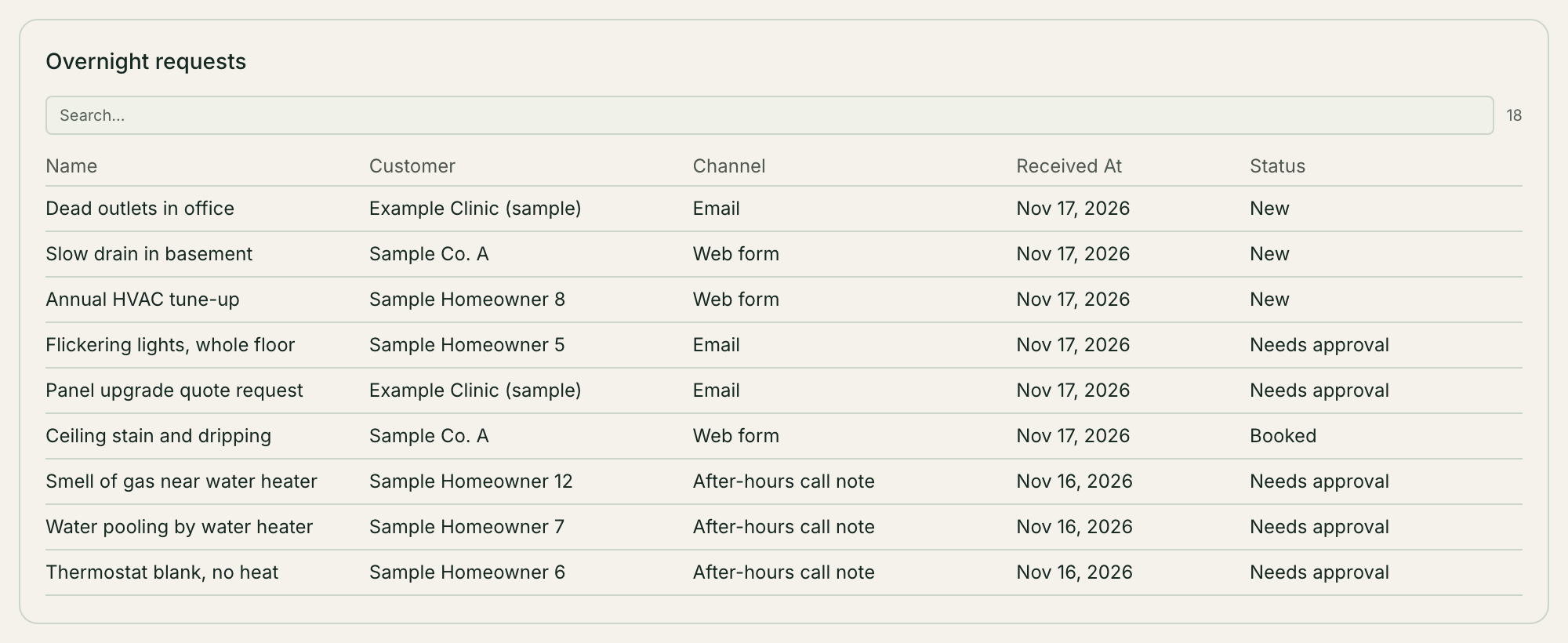
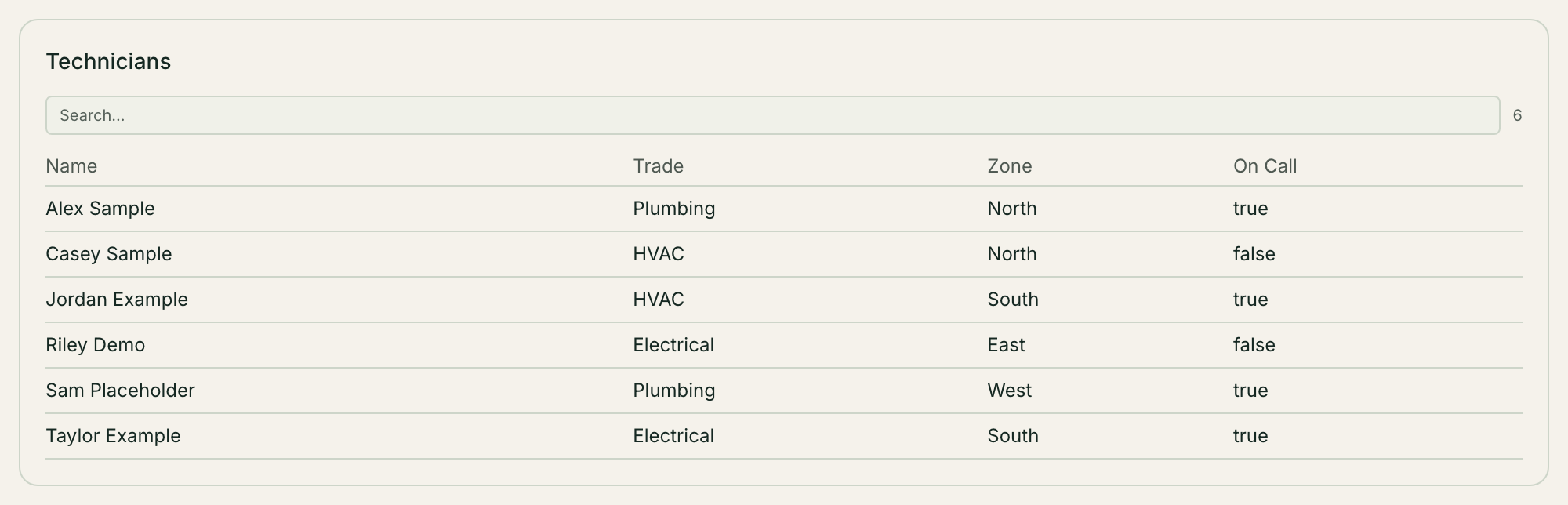
Each request lands in a service request table with the customer, the area, the trade and the time it came in. A workflow runs the moment the request is created. AI writes a two-sentence summary and suggests a slot and a technician from the on-call list and the zones you keep. The request then moves to Needs approval.
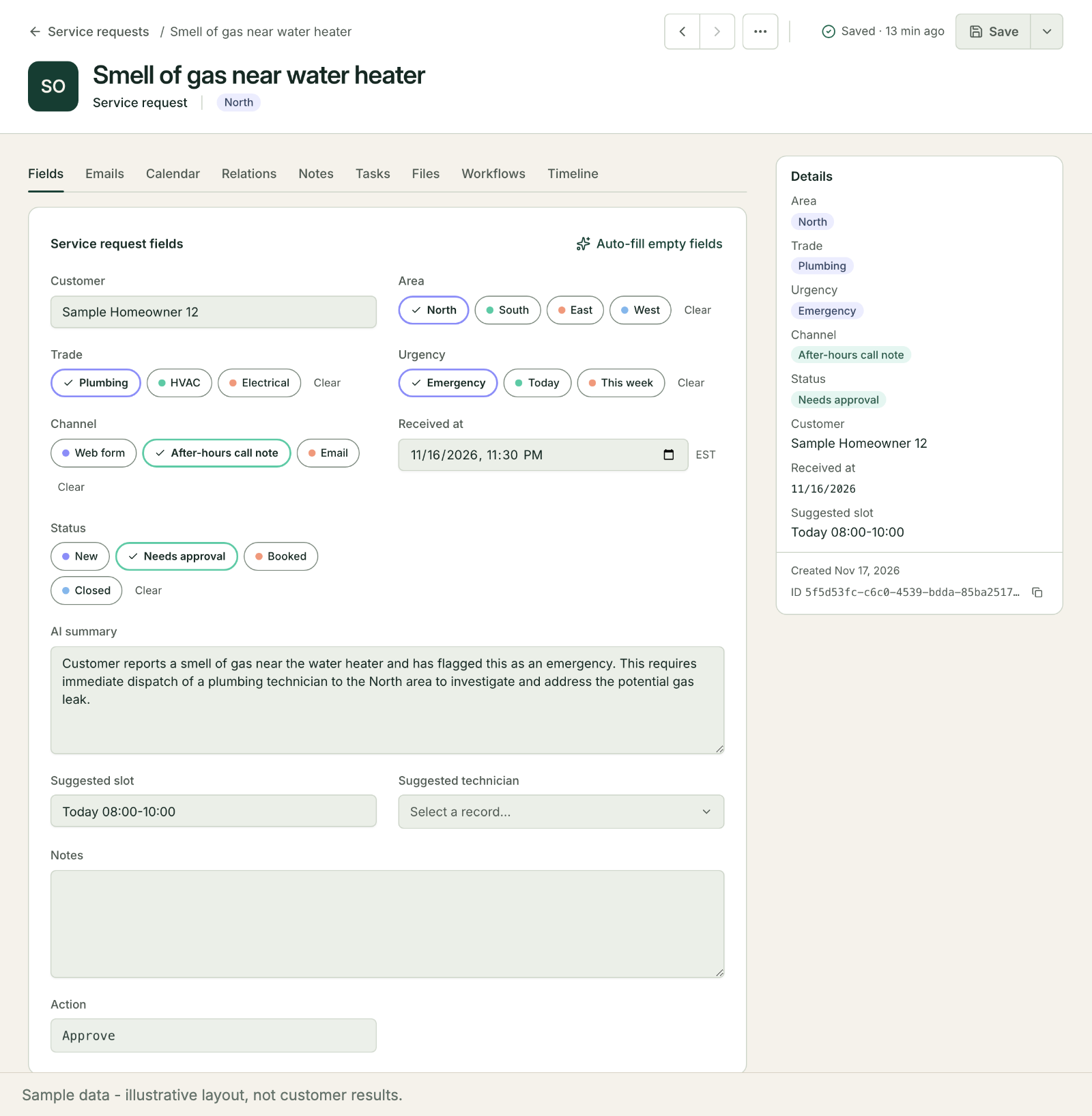
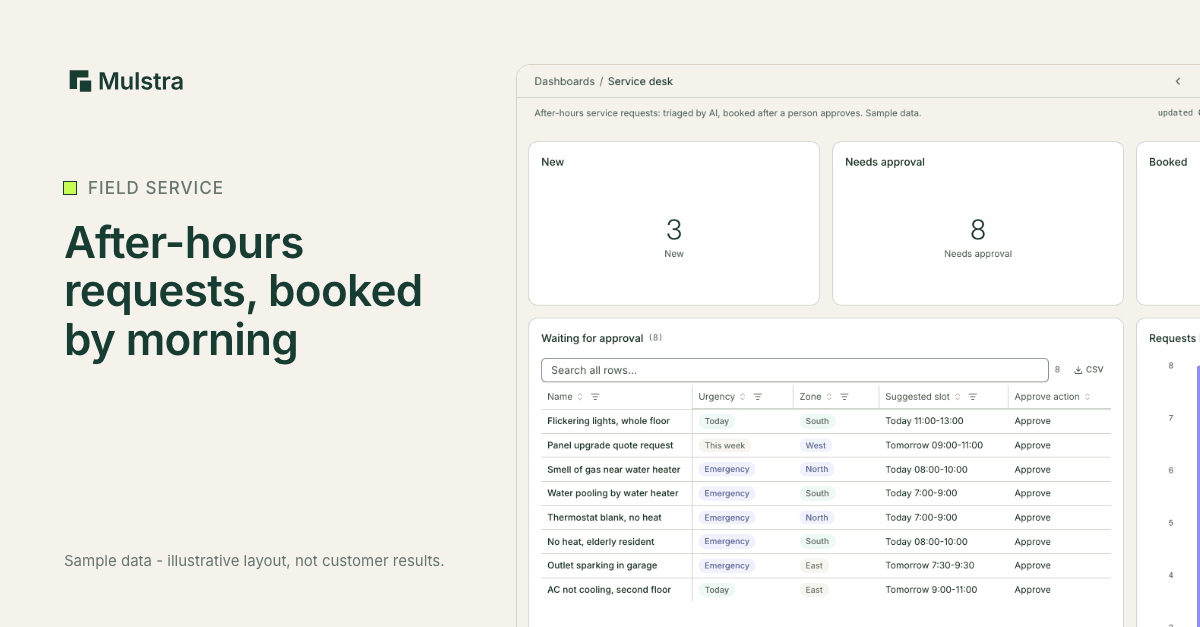
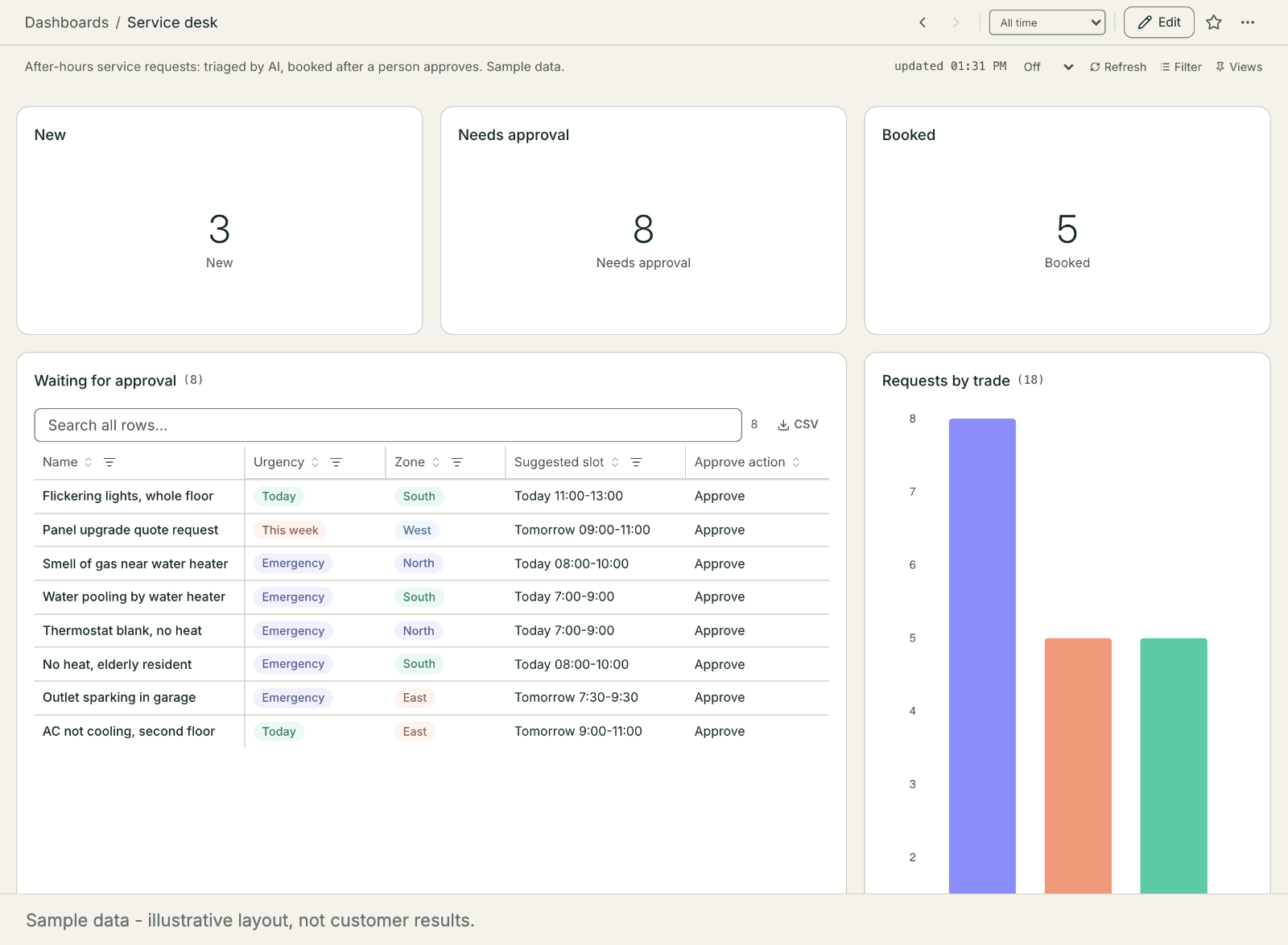
In the morning the dispatcher opens the service desk, reads the summaries and clicks Approve on each booking that looks right. Anything unusual waits for a phone call. Nothing is confirmed to a customer until a person approves it.
Can I Build This Myself With AI?
Yes. It is a good project for an office manager who likes spreadsheets. You need four pieces:
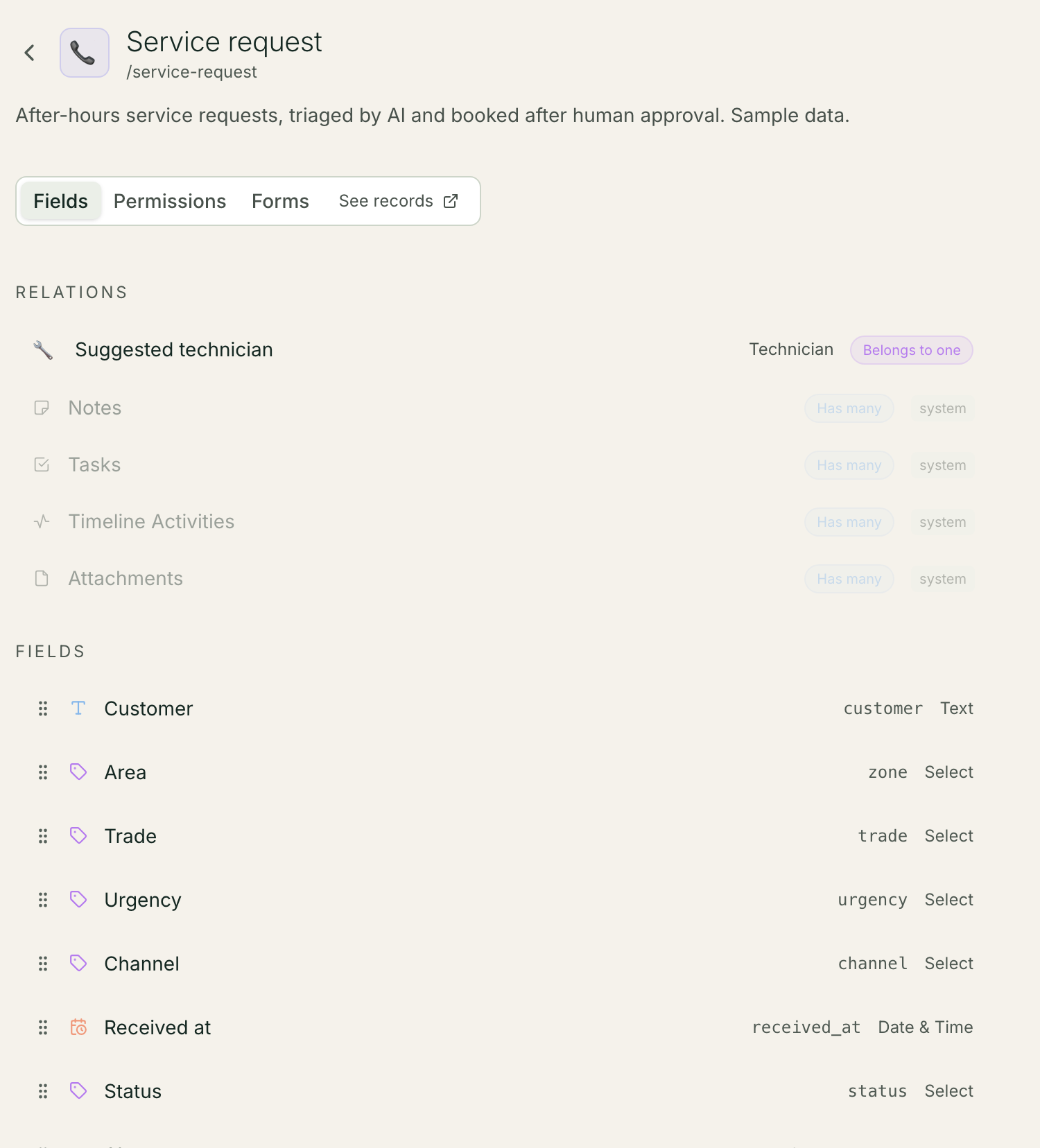
A request table. One row per request, with trade, area, urgency and status.
An intake. A web form, or a shared inbox someone copies from.
An AI step. A prompt that reads the request and writes a summary, an urgency and a suggested slot, given your zones and on-call list.
An approval. A status a person has to change before anything reaches the customer.
Keep the prompt short and give it your real rules: which areas each technician covers, what counts as an emergency, which jobs are never booked without a call. Test it on last month's requests before you trust it with tonight's.
Where Do Most Shops Get Stuck?
Usually not at the AI. They get stuck at the parts around it. The request data is spread across three tools, nobody owns the on-call list, and the setup quietly breaks the first time a technician leaves.
That is the work we do. We diagnose on site, extend the field service software you already pay for, install what is missing and keep it running, with your dispatcher approving every booking. More on how we work with service companies: Mulstra for field service.
Start With a Free Diagnosis
If after-hours requests slip at your company, start with a free diagnosis. In Charleston we come to you; elsewhere we start with a 20-minute call. We look at where a request goes after hours today and what it would take to have it booked by morning. Book a free diagnosis.